
Webflow vs Wordpress in 2026: Which should you choose?
If you've been trying to decide between Webflow and WordPress, you're not alone. It's one of the most searched comparisons in the web-building space, and for good reason. Both platforms power millions of websites, but they're built on completely different philosophies, and choosing the wrong one can cost you months of frustration and a lot of money in rework.
This guide cuts through the noise. We'll compare Webflow and WordPress across every dimension that actually matters: ease of use, design flexibility, SEO, performance, cost, scalability, and more. By the end, you'll know exactly which platform is right for your situation.
Quick Verdict
Before diving deep, here's the short answer:
As a designer or Agency
Choose Webflow if you're a designer, marketer, or small-to-mid agency who wants pixel-perfect design control, fast hosting, and a clean visual editor without touching code.
Choose WordPress if you need maximum plugin flexibility, a massive developer ecosystem, full ownership of your infrastructure, or you're building something highly custom at scale.
As a startup or Business
Choose Webflow if you're a startup or scale-up with a marketing team that needs to move fast: launching landing pages, running campaigns, and iterating on design without waiting on developers. It's also the stronger choice if brand quality and site performance are non-negotiable.
Choose WordPress if you're an established company with dedicated developers, complex content operations, or deep integration requirements with existing enterprise systems. The flexibility ceiling is much higher, but so is the maintenance burden.
What Is Webflow?
Webflow is a visual web design platform launched in 2013. It lets you design websites using a visual interface — think of it like designing in Figma, but the output is production-ready HTML, CSS, and JavaScript. Webflow handles hosting, SSL, CDN, and CMS out of the box.
It's particularly popular with:
Freelance designers and design agencies
Marketing teams at SaaS companies
Startups who want beautiful, fast-loading websites without a full dev team
What Is WordPress?
WordPress is an open-source content management system (CMS) that powers roughly 43% of all websites on the internet as of 2025. It started as a blogging platform in 2003 and has grown into the most widely used website platform in the world.
WordPress comes in two flavors: WordPress.com (a hosted product) and WordPress.org (self-hosted, open-source). When most professionals talk about WordPress, they mean the self-hosted .org version — and that's what we'll focus on here.
It's popular with:
Bloggers, publishers, and content-heavy sites
Enterprise companies needing custom development
Anyone who wants complete ownership and control
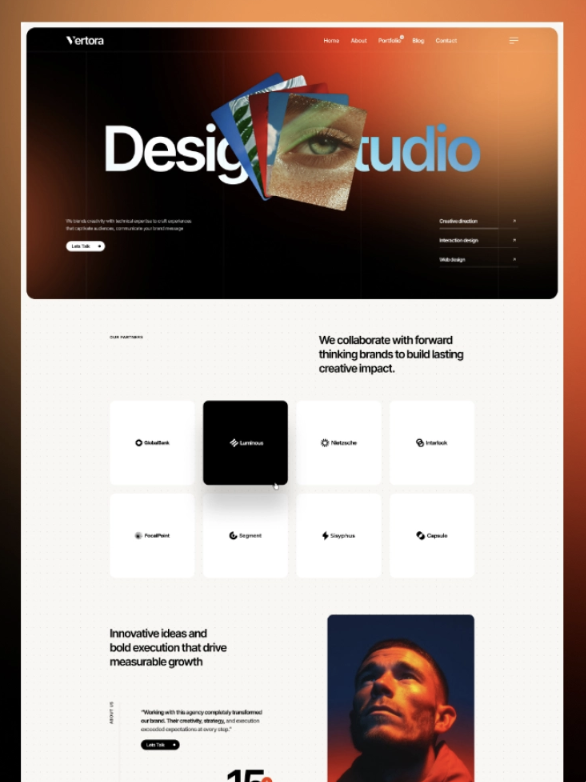
Looking for a Webflow partner to design your Website?
1. Ease of Use
Winner: Webflow (for most non-developers)
Webflow has a steeper initial learning curve than drag-and-drop builders like Wix or Squarespace, but once you understand how its box model works, the experience is remarkably intuitive. You're building real CSS visually. There's no fighting a theme to get the layout you want.
WordPress, especially with a block editor like Gutenberg, is easy for writing content. But building a custom layout or managing a design-heavy site still requires navigating themes, child themes, plugins, and sometimes PHP template files. For non-developers who want design control, this often becomes overwhelming.
If your team includes developers, WordPress's complexity becomes an asset. If it doesn't, Webflow is almost always the better experience.
2. Design Flexibility
Winner: Webflow
This is where Webflow truly shines. Because it generates clean HTML and CSS directly from your visual design, you have virtually unlimited layout control. Custom animations, interactions, complex grid layouts, scroll-based effects — all achievable without writing a line of code.
WordPress design is constrained by your theme. Most themes give you configuration options, but you're always working within someone else's box. Page builders like Elementor or Divi extend flexibility significantly, but they introduce performance overhead and lock you into their own ecosystem.
For designers who want their vision on the screen — exactly as designed — Webflow wins decisively.
3. SEO Capabilities
Winner: Tie
Both platforms can rank well in search engines. SEO outcomes depend far more on your content strategy, backlinks, and site architecture than the platform you use. That said, there are real differences:
Webflow SEO strengths:
Auto-generated sitemaps
Clean semantic HTML output
Built-in SSL and fast CDN hosting
Fine-grained control over meta titles, descriptions, Open Graph tags, and canonical URLs per page
No need for SEO plugins — everything is built in
Fast page load speeds out of the box (great for Core Web Vitals)
WordPress SEO strengths:
Plugins like Yoast SEO or Rank Math offer powerful, content-editor-friendly tools
Massive community of SEO resources and experts
Greater flexibility for advanced technical SEO implementations
Better ecosystem for large-scale content operations (sitemaps for millions of pages, hreflang, schema markup at scale)
For small-to-mid-sized sites, Webflow's built-in SEO tools are excellent and easier to maintain. For enterprise-scale sites with complex SEO needs, WordPress's plugin ecosystem provides more depth.
4. Performance & Speed
Winner: Webflow
Webflow hosts all sites on its own global CDN powered by Fastly and AWS. Pages load fast by default, without any configuration. You don't need to install a caching plugin, optimize a server, or worry about your host throttling bandwidth.
WordPress performance varies enormously depending on your hosting provider, the plugins you've installed, your theme's code quality, and how much optimization you've done. An unoptimized WordPress site can be painfully slow. An optimized one — with a quality host, caching, and a lean plugin stack — can absolutely compete with Webflow on speed. But getting there requires effort and ongoing maintenance.
If you want fast-by-default without technical overhead, Webflow is the cleaner choice.
5. Pricing
Winner: WordPress (for most budgets, with asterisks)
Let's look at real costs for each platform.
Webflow Pricing (2025)
These prices include hosting, SSL, and a global CDN. There are no add-ons required to have a functioning, well-hosted site.
WordPress Pricing (2025)
WordPress itself is free. But the real cost picture includes:
Hosting: $5–$50+/mo (budget shared hosting to managed WordPress hosting)
Domain: ~$15/year
Premium theme: $50–$200 (one-time, typically)
Essential plugins: $0–$500+/year depending on what you need (SEO tools, forms, eCommerce, backups, security)
Developer time: Potentially significant if you need custom work
For a lean WordPress setup on good hosting, you can realistically run a solid site for $15–30/month. That's cheaper than Webflow's CMS plan. But for feature-rich sites, WordPress costs can climb quickly as you stack premium plugins.
The honest answer is that WordPress can be cheaper, but its real cost depends heavily on your needs and technical ability. Webflow is more predictable.
6. CMS & Content Management
Winner: WordPress (for content teams) / Webflow (for structured content)
WordPress was built for content publishing. Its editor is familiar to most people, it supports contributors and multi-user workflows well, and its publishing tools (categories, tags, scheduling, revisions) are mature.
Webflow's CMS is a structured content database. It's exceptionally powerful for developers and designers building content-driven sites with specific data models — think a blog, a case study library, or a team directory. Editors can manage content through a clean, intuitive interface. But it's less flexible for free-form editorial workflows and has limits on the number of CMS items per plan.
For large content teams with complex editorial workflows, WordPress is more mature. For structured content on design-forward sites, Webflow's CMS is surprisingly capable.
7. Security & Maintenance
Winner: Webflow
This is one of Webflow's most underappreciated advantages. Because Webflow is a managed, closed platform, you don't deal with plugin vulnerabilities, WordPress core updates, PHP version conflicts, or server misconfigurations. Security is handled for you.
WordPress security is a real, ongoing responsibility. WordPress sites are frequent targets for hackers precisely because they're so common. Keeping WordPress, plugins, and themes updated — and monitoring for vulnerabilities — requires active attention. Many site owners hire a maintenance service or use a managed host specifically to handle this.
If you don't want to think about website security, Webflow is a significant relief.
8. Scalability
Winner: WordPress (for enterprise) / Webflow (for most teams)
For most businesses — up to several million monthly pageviews, hundreds of CMS items, and a team of 2–20 people — Webflow scales well. Many fast-growing startups and mid-market companies run on Webflow without issues.
For enterprise-level sites with massive content operations, complex infrastructure requirements, multi-site networks, or deep custom functionality needs, WordPress (or other enterprise CMS platforms) provides a more flexible foundation.
Who Should Use Webflow?
Webflow is the right choice if you:
Are a designer or work closely with designers and want full creative control
Run a marketing team that needs to launch and iterate on pages fast, without developer dependencies
Want fast, secure hosting without managing a server
Are building a SaaS or tech marketing site, portfolio, agency site, or content-driven business site
Prefer paying a predictable monthly fee for an all-in-one solution
Don't want to spend time on website maintenance, security patches, or plugin updates
Who Should Use Wordpress?
WordPress is the right choice if you:
Need a large plugin ecosystem for complex, specific functionality
Have developers on your team (or budget for them) who can manage the platform
Run a large-scale content operation with many contributors
Want complete ownership of your data, code, and infrastructure
Need to integrate deeply with enterprise systems or custom-built software
Are comfortable with technical setup
Frequently Asked Questions
-
Yes — Webflow is widely used by tech companies, particularly SaaS businesses. Its combination of design quality, speed, and marketing agility makes it a strong fit for product-led and marketing-led tech teams. Companies like Lattice, Jasper, and Monday.com have used Webflow for their marketing sites. The main limitation for tech companies is extensibility: if your site needs deep custom functionality or complex integrations with internal systems, you'll hit Webflow's ceiling faster than you would with a fully custom stack. For the marketing site specifically, though, Webflow is often the best tool available.
-
It depends on what's growing. Webflow handles traffic growth exceptionally well — its CDN infrastructure scales automatically without any action from your team. Where fast-growing companies sometimes run into friction is on the content and team side: Webflow's CMS item limits, Editor seat limits, and lack of granular permissions can feel constraining as headcount scales. If you're a Series A or B company expecting rapid growth in your marketing operations, it's worth starting on Webflow's Business or Enterprise plan so you have room to grow without a painful platform migration mid-scale.
-
Webflow has become the de facto standard for SaaS marketing sites, and for good reason. The design quality achievable in Webflow — smooth animations, precise layouts, fast load times — is hard to match in WordPress without significant developer investment. For a SaaS company where the marketing site is a major part of the sales funnel, the brand quality difference alone often justifies Webflow's cost.
-
Yes, but it's not trivial. You can export your WordPress content and rebuild your site in Webflow, but it requires rebuilding your templates and re-entering or importing content. Many teams hire a Webflow agency to handle the migration.
-
Yes. Webflow's CMS handles blog publishing well, with support for authors, categories, tags, and rich content. It doesn't have WordPress's editorial depth, but it's more than capable for most blogs.
-
No — in fact, Webflow's clean HTML output and built-in CDN hosting can give it an edge on Core Web Vitals compared to a bloated WordPress setup. Rankings depend on content and links, not the platform.
-
Both have a learning curve. WordPress is easier to write and publish content on. Webflow is easier to design on, but understanding its box model takes time. Most designers find Webflow more intuitive once they get past the initial learning curve.
-
Yes. Webflow has an Editor mode specifically for content teams who aren't designers. They can update text, images, and CMS content without touching the Designer.
Final Verdict
After comparing both platforms across every dimension, the conclusion is clear: for most modern companies, Webflow is the better choice.
WordPress built the web as we know it, and it remains a powerful tool in the right hands. But "the right hands" increasingly means large enterprises with dedicated developer teams, complex legacy infrastructure, or very specific plugin dependencies. For everyone else, Webflow offers a fundamentally better experience — and better outcomes.
Here's who Webflow wins for, decisively:
Tech companies & SaaS businesses — Webflow has become the industry standard for SaaS marketing sites for a reason. The design quality, page speed, and marketing agility it enables is difficult and expensive to replicate in WordPress. When your website is a core part of your sales funnel, the platform you build it on matters.
Startups — Speed is everything in the early stages. Webflow lets a small team launch a polished, professional website fast, and iterate on it without developer bottlenecks. The time and money saved on maintenance alone often covers the platform cost many times over.
Agencies — Webflow's workspace and client management tools are purpose-built for agency workflows. Handing off a Webflow site to a client is dramatically cleaner than handing off a WordPress site loaded with plugins. Fewer support calls, fewer things that break at 2am.
Marketing teams — Webflow gives marketers genuine independence. Launching a new landing page, A/B testing a hero section, updating a campaign page — none of it requires a developer ticket. That velocity compounds over time into a real competitive advantage.
Creative & design agencies — There is no better platform for bringing a design to life exactly as conceived. Webflow's visual canvas produces clean, production-ready code that reflects the designer's intent — not a theme's limitations.
WordPress remains the right call for large-scale eCommerce operations, enterprise content teams with hundreds of contributors, or companies with deeply custom technical requirements baked into their existing infrastructure. If that's you, WordPress's ecosystem is unmatched.
But if you're building or growing a modern business website in 2026, start with Webflow. The design is better, the maintenance burden is lower, the performance is faster out of the box, and your marketing team will thank you for it.